Detailed usage
1. Global prices
DT_MerchantPrice in Content/DataTable provides prices shared by stores. A store entry can use a global price or its own local price.
2. The subsystem
Accessing the subsystem
Use the Get_ADS_MerchantSubsystem function directly. It returns the central reference for stores, trades, prices, and saved state.nn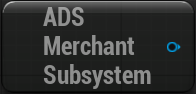
Functions
| Function | Detailed description |
|---|---|
Can Open Store | Checks a store is available. |
Buy From Store | Runs a purchase. |
Sell To Store | Runs a sale. |
Auto Sell Item | Runs an automatic sale. |
Get Final Price | Returns the final display price. |
Get Max Item | Calculates the highest possible quantity. |
Event Dispatchers
| Dispatcher | Detailed description |
|---|---|
On Buy | Broadcast after a purchase attempt. |
On Sell | Broadcast after a sale attempt. |
On Auto Sell | Broadcast after an automatic sale attempt. |
On Store Changed | Broadcast after a store change. |
3. Store Actor Component
Connecting the component
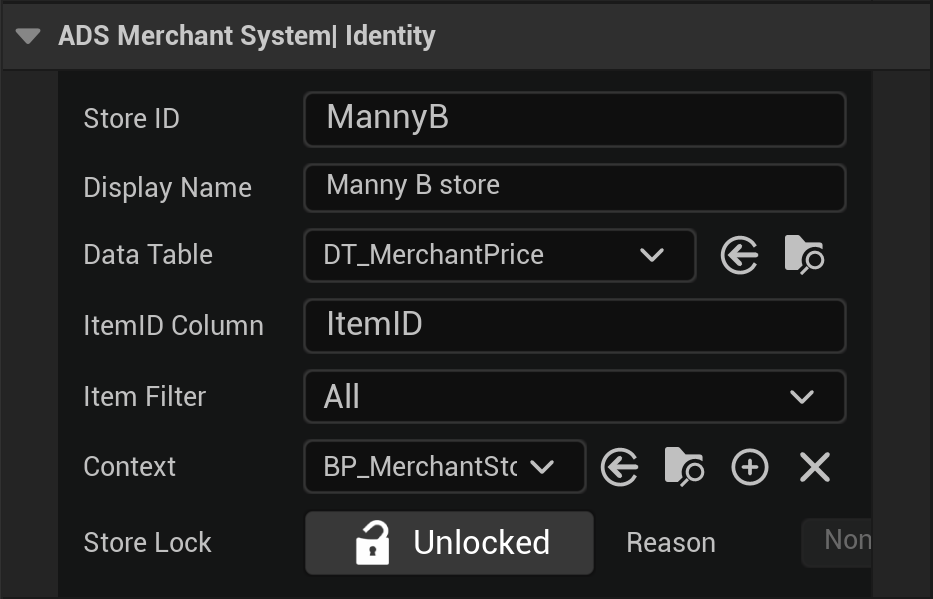
Add AC Merchant Store to every merchant actor. It registers automatically when the actor starts. Set its unique StoreID and configure its levels in Details.nn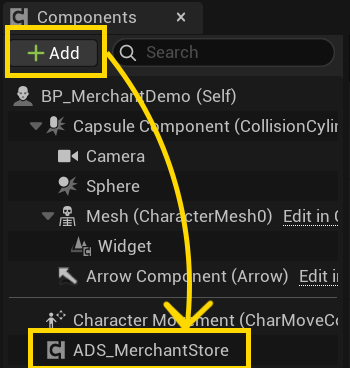
4. Blueprint logic
A child of ADS Merchant Logic Base connects trades to your project inventory and currencies. A child of ADS Merchant Store Logic Base, assigned to StoreLogicClass, contains store-specific progression, donation, unlock, or promotion rules.
5. Enhanced Details panel
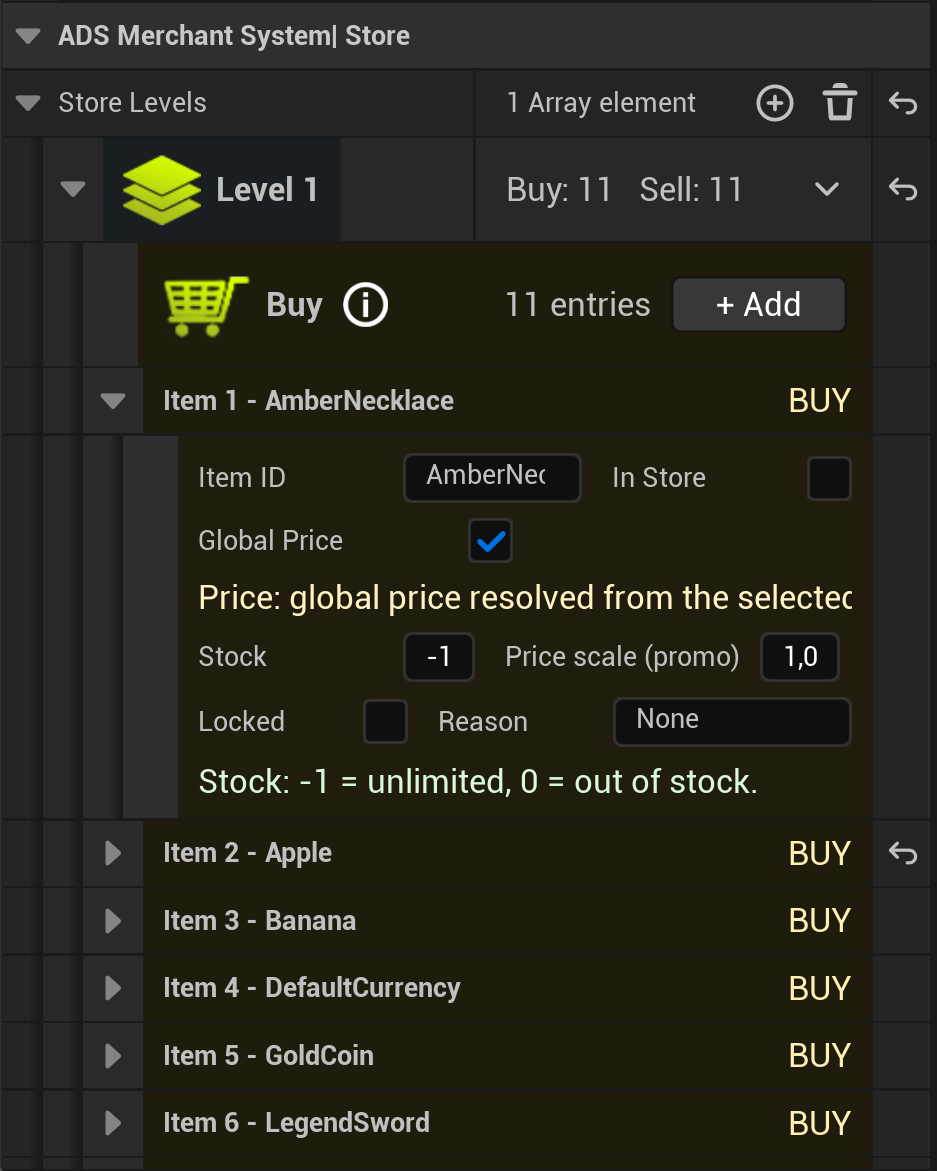
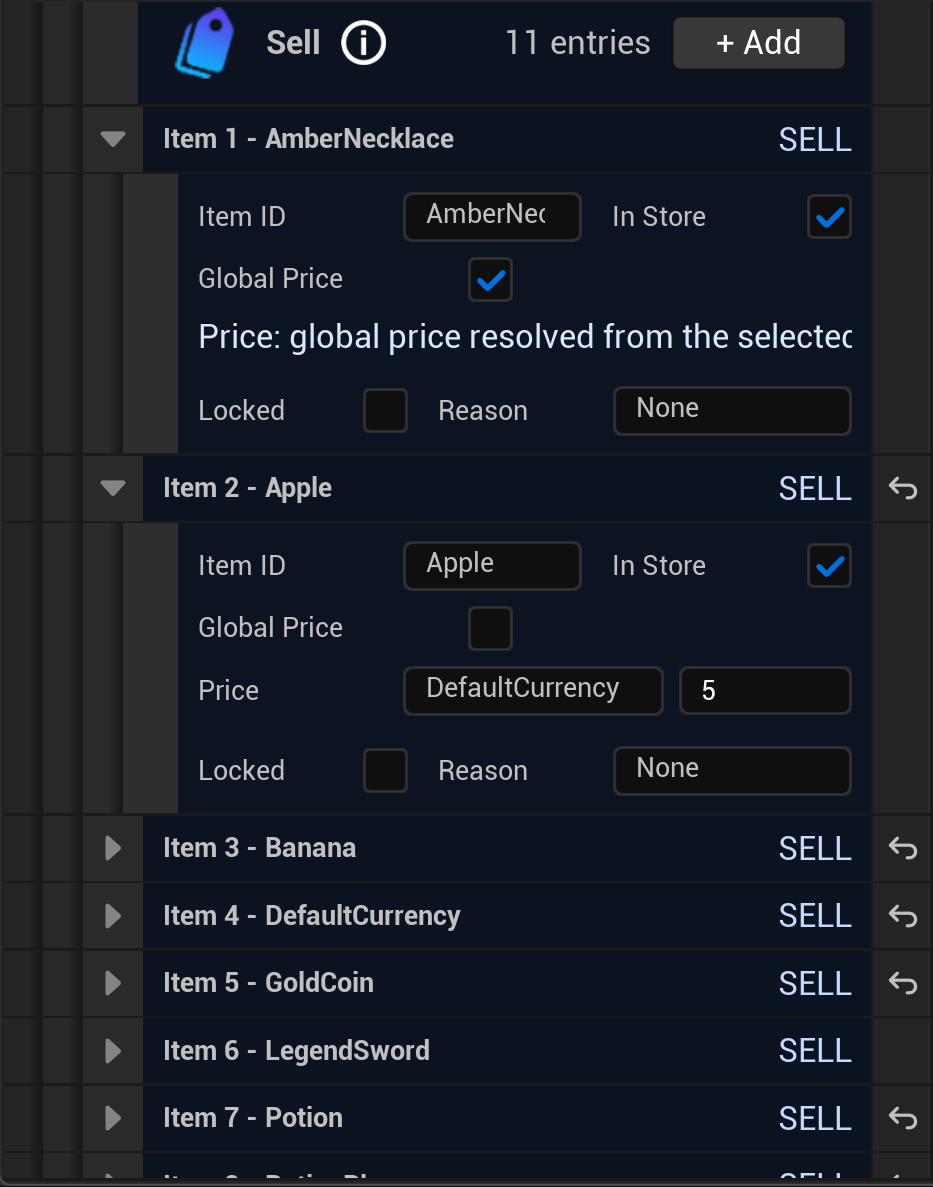
The enhanced Details panel avoids the tedious work of adding items one by one: it automatically adds every item from the selected DataTable and can filter them. To actually offer an item, simply enable its In Store checkbox.nnIt groups identity, DataTable and context selection, locks, and store levels. Purchase and sale lists use distinct color codes and clearly present each item, its global or local price, stock, promotion, and lock.